 QGO
Store Traffic Management Guide for Busy Teams
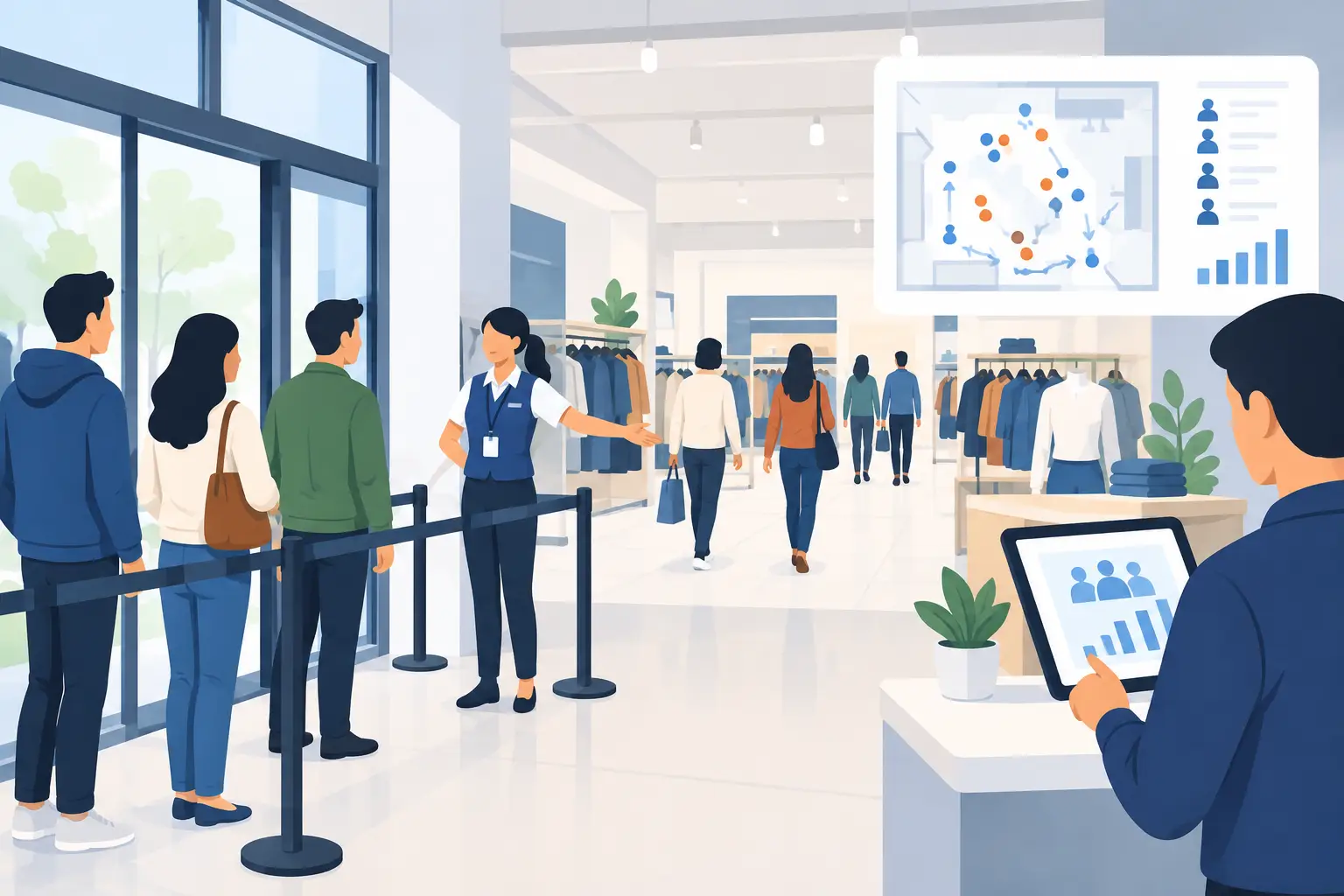
A line forming at the entrance is not always a demand problem. Often, it is a visibility problem. Customers do not know where to go, whether they are in the right line, or how long the wait will be. Staff step in to direct traffic, answer the same questions, and calm frustration instead of serving people. This store traffic management guide shows how to make customer flow easier to see, easier to manage, and less dependent on staff intervention.
The goal is not to push people through faster at any cost. A rushed experience can create errors, missed sales, and unhappy customers. The goal is to keep movement predictable: customers know what to do next, teams can spot bottlenecks early, and waiting does not have to mean standing in a crowded line.
Start With the Moments That Create Buildup
Traffic problems rarely begin at the point where the line is visible. They start earlier, when customers arrive with different needs but enter the same path. A retail customer may need a return, a product question, and a checkout. A restaurant guest may be waiting for a table, picking up an order, or asking about a reservation. If all three are directed to one counter, congestion is built into the experience.
Walk through the location during your busiest hour. Watch where customers pause, turn around, ask for help, or cluster around staff. Those are the moments to fix. You do not need a complicated study. A 30-minute observation can reveal whether the problem is unclear signs, a slow handoff, an understaffed service point, or too many customer types sharing one line.
Look beyond average wait time. An average can hide a bad experience. A customer who waits two minutes and another who waits 20 minutes may produce a reasonable-looking average, but the 20-minute customer is the one telling friends not to come back. Track the longest waits, the busiest 15-minute windows, and the reasons customers enter a queue.
Give Each Customer a Clear Next Step
People move confidently when the next action is obvious. At the entrance, use plain language that tells customers where to begin. “Returns and exchanges,” “Pickup,” “Join the service queue,” and “Check in for appointments” work better than broad labels like “Customer service.”
Keep the choices limited. Too many signs, arrows, and exceptions make customers stop and ask a staff member anyway. If your location has several services, separate them at the first decision point rather than after customers have already joined the wrong line.
Your physical layout matters, but it does not need to be perfect before you improve flow. Start with visible markers at the points where customers make decisions: the entrance, the service counter, the pickup area, and the exit. Then adjust based on what staff hears most often. If customers repeatedly ask, “Is this the line for pickup?” the process needs a clearer cue.
Separate queues when the service time is different
One queue is simple to understand, but it is not always fair or efficient. Fast transactions can get stuck behind complicated returns, consultations, or order issues. Separate lines make sense when customer needs are distinct and staff can handle them separately.
There is a trade-off. Too many lines can create uneven workloads, with one employee overwhelmed while another waits. If staffing changes throughout the day, a flexible digital queue can be better than fixed lanes. Customers select the reason for their visit, while managers can route work based on the team available at that moment.
Make Waiting Mobile, Not Physical
A visible line creates pressure. It makes a store look crowded, discourages walk-ins, and leaves customers feeling trapped. For many businesses, the simplest improvement is to let customers join a queue from their phone and wait nearby instead of standing shoulder to shoulder.
A mobile queue works best when joining takes seconds. Customers should not need to create an account, download a native app, find a kiosk, or print a ticket. They scan, tap, join, and check their place from their own device. When it is their turn, they receive a clear prompt to return.
This changes the atmosphere of the space. A customer can browse, sit down, or finish a nearby errand while retaining their place. Staff no longer need to shout names across the room or repeatedly estimate wait times. The line is still organized, but it is not taking over the floor.
QGO is built around this low-friction model. Customers access the queue through a lightweight web experience that can be added to a phone home screen, without dedicated queue hardware or a conventional app download. That can be especially useful for locations that need to launch quickly across multiple sites or serve customers in more than one language.
Mobile is not the answer for every visitor. Some customers may not have a smartphone, may have accessibility needs, or may prefer staff assistance. Keep an assisted check-in option at the counter. The best traffic plan gives customers a digital path without making it the only path.
Staff the Bottleneck, Not the Schedule
Many teams schedule by habit: the same roles at the same times each week. But traffic can shift with weather, local events, promotions, appointment patterns, deliveries, or online order volume. The result is a full team that is still positioned in the wrong places.
Use traffic observations to identify where staff time creates the biggest improvement. During a lunch rush, one person directing pickup customers may prevent a crowded counter. During a weekend retail rush, a greeter who helps customers choose the right service path may keep returns from blocking checkout. Small role changes can remove larger delays.
Build a simple trigger plan for peak periods. For example, when the queue reaches a set number of customers or the estimated wait passes a set number of minutes, move a trained employee to triage. That person can answer quick questions, route simple requests, and identify customers who need a different service path.
Do not rely on staff to memorize every exception. Give them short scripts and a visible process. “Join the pickup queue here.” “Returns are checked in at this station.” “You will get a notification when we are ready.” Consistent language reduces confusion and makes the experience feel organized, even during a rush.
Protect the Pickup Area From Becoming a Second Line
Pickup can be one of the fastest services in a location, yet it often becomes a hidden bottleneck. Orders are ready, but customers do not know where to stand. Staff have to leave their station to search for bags. Delivery drivers, dine-in guests, and pickup customers all gather in the same small area.
Create a separate pickup arrival point and keep the handoff sequence tight. Customers should know where to check in, where to wait, and when to approach. If orders require verification, collect the needed information before the handoff rather than after a staff member has already started searching.
The key is to avoid turning pickup into a crowd around the counter. A digital check-in or queue can alert staff that someone has arrived while allowing that customer to wait outside the traffic path. This is particularly helpful when pickup volume spikes at predictable times but staffing cannot scale instantly.
Measure What Customers Actually Feel
Store traffic management is not just a floor plan. It is a customer experience system. Measure a few signals that help you act: queue volume by time of day, wait time by service type, abandoned queues, repeat questions from customers, and the number of times staff must manually redirect people.
Then test one change at a time. Move the pickup sign. Add a separate return check-in. Change the queue message. Assign a greeter during the busiest 30 minutes. Comparing too many changes at once makes it hard to know what worked.
Customer feedback adds context to the numbers. A five-minute wait can feel reasonable when customers see progress and receive accurate updates. A three-minute wait can feel frustrating when no one acknowledges them. Clear communication often improves perceived wait time before it changes the actual wait time.
Build a Store Traffic Management Guide Your Team Will Use
A plan only helps if it works on a busy Saturday, with new staff, a delivery at the door, and customers arriving at once. Keep your store traffic management guide practical. Document each customer path, the signs or digital prompts that support it, and the trigger that tells staff when to change the setup.
Review it after real peak periods, not only in a quiet office. Ask the team where customers got stuck and where they had to improvise. Their answers usually point to the next fix.
The strongest traffic systems do not make customers think about traffic at all. They make the next step clear, let people wait on their own terms, and give your team room to focus on the service that brought customers through the door.
Give your customers a line they don't have to stand in
QGO turns any counter into a smart digital queue: customers scan a QR code, take a number on their own phone and get alerted when it is their turn. No app download, no hardware, 16 languages.
Try QGO free How it works