 QGO
Retail Line Reduction Example: A Better Flow
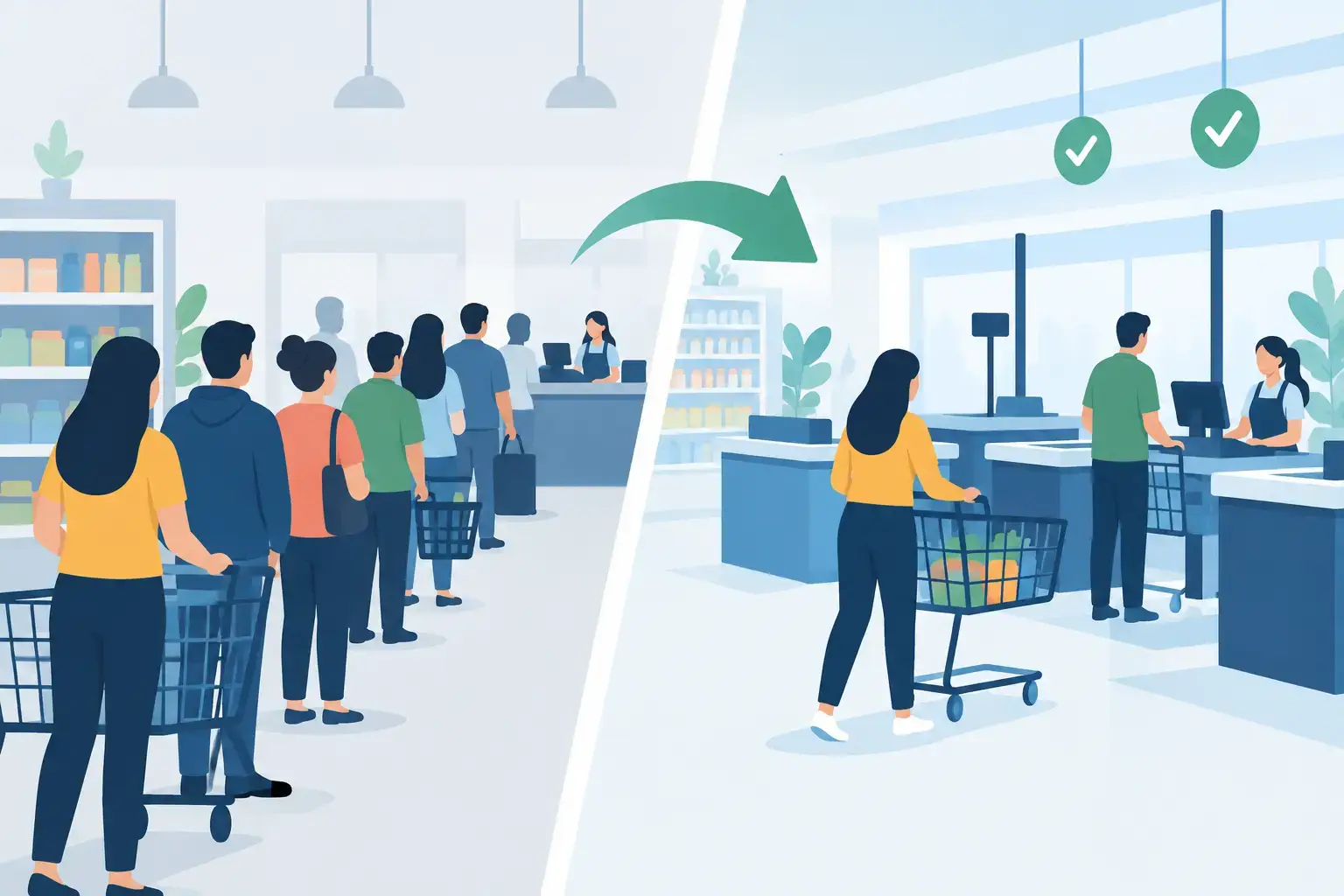
A crowded checkout line can make a store look busy. It can also make customers leave. This retail line reduction example shows how a store can reduce visible congestion without adding expensive kiosks, printing tickets, or asking shoppers to download another app.
The goal is not to pretend waits never happen. Busy periods are real. The better goal is to make waiting organized, visible, and mobile so customers can browse, pick up an item, or step outside instead of standing shoulder to shoulder near a counter.
The retail line reduction example
Imagine a specialty retailer with two service counters: one for purchases and returns, and one for product questions and order pickup. Between noon and 2 p.m. on Saturdays, the store sees 35 to 50 customers arrive for help. The team has three associates available, but only two can actively serve at a time.
Before changing the process, customers form one physical line near the counters. An associate repeatedly asks, "Who is next?" Customers with quick pickup requests wait behind complicated returns. Shoppers cannot tell whether the line will take five minutes or 25. Some walk out. Others stay but become frustrated before a team member even greets them.
The issue is not only service speed. It is line design.
The store replaces the single standing line with a mobile queue. A small sign at the counter gives customers a simple instruction: scan, join, and keep shopping. Customers enter their name and choose a reason for their visit: purchase or return, pickup, or product help. They receive a place in line and live updates on their phone.
Now the visible line has three people instead of 15. The actual demand has not disappeared. But customers are no longer packed into one narrow area, and staff can see what type of help is coming next.
What changed operationally
The first change is simple: customers no longer need to stay physically attached to the line. That gives the store back its entrance, its aisles, and its counter area. It also gives shoppers something more useful than a vague promise that they will be helped soon.
The second change is queue routing. A pickup customer may take one minute. A return with a missing receipt may take 10. When every request enters the same unmarked line, quick transactions get trapped behind long ones. With a reason selected at entry, the team can call the next appropriate customer or direct certain requests to the right counter.
The third change is communication. Instead of asking staff for an estimate every few minutes, customers see their queue position and receive an update when their turn is close. That reduces repeated questions and lets associates focus on service.
This does not mean every customer gets served faster in every circumstance. If the store has more arrivals than staff capacity, waits can still grow. But a digital queue improves how that wait is experienced and managed.
A simple before-and-after view
Here is how the Saturday rush might look.
Before the change, 18 customers are standing near the counters. Two associates serve customers while a third associate handles inventory questions and gets pulled into line management. The average wait is about 18 minutes, but customers do not know that. Several abandon the line, and staff cannot reliably tell whether they lost a sale or simply stepped away.
After the change, the store has 18 customers waiting in total, but only four are near the service area. The other customers browse, compare products, or wait elsewhere in the store. The average service capacity has not magically doubled. However, the third associate spends less time answering "How long?" and more time preparing pickup orders and helping customers who are next.
If that recovered staff time saves even a few minutes during each peak hour, the queue starts moving more consistently. More importantly, customers can make an informed choice: stay, browse, or return later. Clear information is often the difference between a manageable wait and a bad experience.
How to set up a line reduction plan
Start by measuring the line you already have. For one busy week, track arrival times, service start times, service completion times, and the reason for each visit. You do not need a complicated study. A simple record can reveal whether the bottleneck is checkout, pickups, returns, questions, or staffing coverage.
Then separate requests only when it helps. A store with one counter and mostly identical transactions may need one queue. A store handling pickups, repairs, returns, consultations, and payment may benefit from two or three service types. Too many choices can confuse customers, so keep the options plain and familiar.
Next, decide what customers should do while they wait. In retail, the best answer is usually browse. Place queue instructions where customers naturally pause: at the entrance, beside the service desk, near the pickup area, and in staff greetings. The message should be short: join the line from your phone, then keep shopping.
Finally, create a staff rule for calling customers. For example, associates might call the next pickup customer when the pickup counter is open, while the main counter calls the next return or purchase customer. A queue only works when the team follows it consistently, especially during the first few weeks.
Keep the customer entry step light
A long form creates a new bottleneck before the queue even starts. Ask for only what staff need to serve the person: a first name, a service reason, and a mobile number if notifications are used. If an order number is required for pickup, make that field optional until the customer reaches the counter unless it truly helps staff prepare the order.
The experience should feel familiar. Scan a code. Open a lightweight page. Join the queue. Add it to the home screen if the customer expects to return often. No dedicated hardware at the door. No printed ticket to lose. No native app download for a single visit.
QGO is built around this approach, giving customers a mobile queue they can access from their own phones while teams manage the flow behind the counter.
Where this example works best
This model is especially useful when shoppers have a reason to remain nearby but do not need to stand still. Electronics stores, boutiques, dispensaries, home improvement counters, furniture showrooms, and retailers with order pickup are common fits.
It also works for short-term surges. A store may not need a digital queue all day, every day. It may need one during product drops, holiday weekends, lunch-hour pickups, appointment overflow, or clearance events. Teams can activate a queue when traffic changes instead of building their entire operation around a permanent physical line.
There are limits. A tightly regulated transaction, a security check, or a service that requires customers to remain in a specific area may still need a physical waiting zone. Even then, mobile status updates can reduce uncertainty and keep the area more orderly.
Metrics that show whether it is working
Visible line length is the first metric because customers notice it instantly. But it is not enough on its own. Track average wait time, the percentage of customers who leave before service, service time by request type, and the number of staff interruptions about queue status.
Also watch what happens to sales behavior. If customers can browse while waiting, they may add items to their purchase. That is possible, not guaranteed. Some customers prefer a fast in-and-out visit, so the queue should never become an excuse for slow service.
Review the data by time of day. If waits rise every day from 5 p.m. to 6 p.m., a better queue will help, but staffing or counter coverage may still need to change. Digital line management makes that pattern easier to see.
Make waiting feel organized, not invisible
The strongest retail line reduction example is not one where the store hides a problem. It is one where the store gives customers a clear next step, gives staff a workable order, and removes the crowd from the center of the shopping experience.
Start small during one recurring rush. Use plain instructions, keep the join process to a few taps, and listen to where customers get stuck. When a line becomes a mobile experience instead of a physical obstacle, the store can feel calmer even when demand is high.
Give your customers a line they don't have to stand in
QGO turns any counter into a smart digital queue: customers scan a QR code, take a number on their own phone and get alerted when it is their turn. No app download, no hardware, 16 languages.
Try QGO free How it works