 QGO
QR Code Queue System for Faster Store Visits
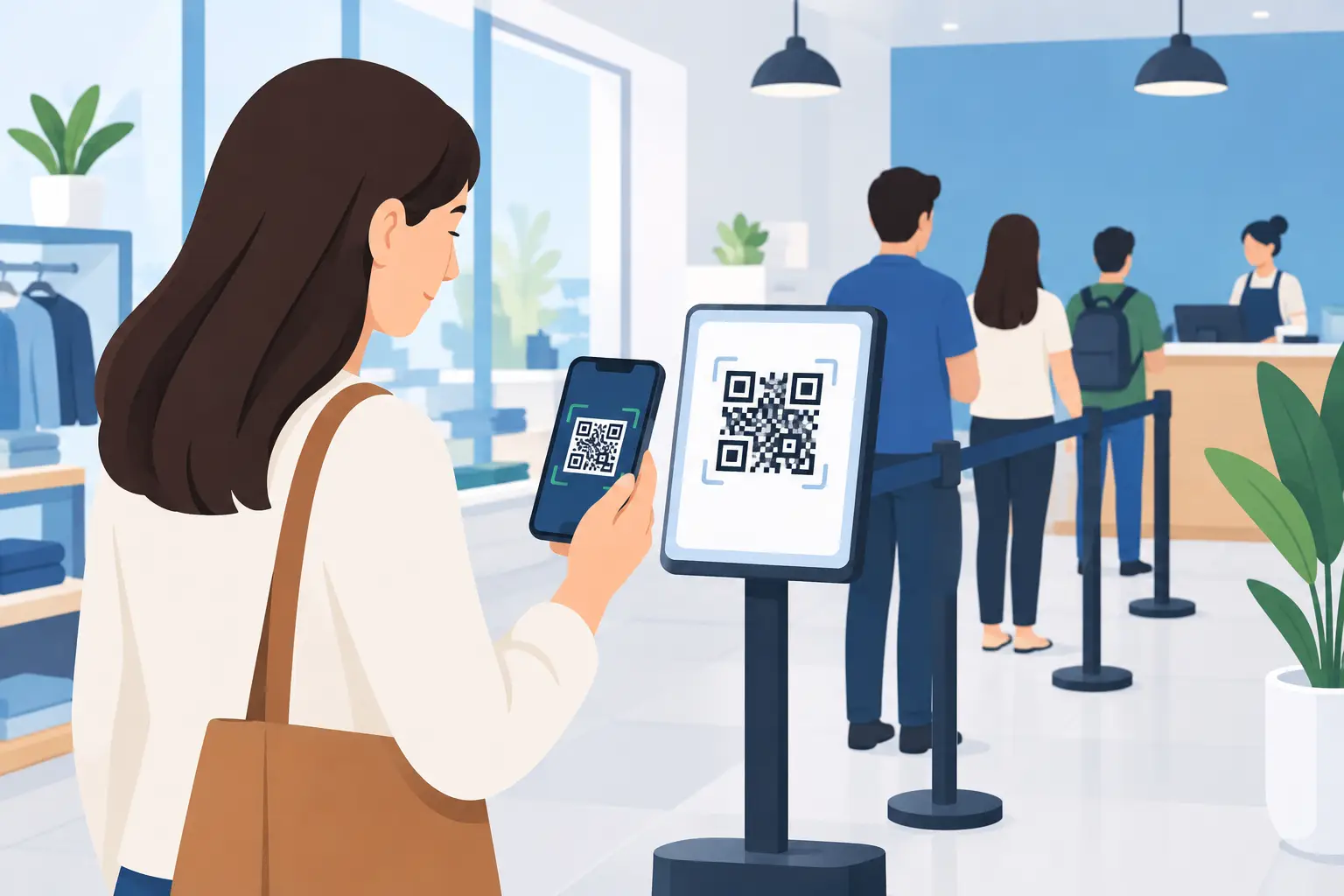
A line at the counter does more than slow service. It makes a store feel crowded, puts staff in traffic-control mode, and gives customers no clear answer to one basic question: How long will this take?
A QR code queue system gives people a better option. They scan, join the line from their phone, and monitor their place while they browse, sit down, or wait nearby. Your team gets a clearer view of demand without handing out paper tickets or managing a row of people by hand.
For businesses with busy service counters, pickup areas, consultation desks, or walk-in traffic, that shift can make the whole location easier to run.
What a QR code queue system does
A QR code queue system turns a physical waiting line into a digital one. Instead of standing in a visible queue, a customer scans a code displayed at the location and enters their details on their phone. They receive their queue position and wait for their turn.
The experience should be simple enough to explain in a few seconds. Scan the code. Join the queue. Keep an eye on your place. When it is time, return to the counter or service area.
For staff, the system replaces informal line management with a live queue. They can see who is waiting, move customers forward as service is completed, and communicate realistic expectations when demand rises.
This is not the same as forcing every customer to book an appointment. Appointments work well for scheduled services. A digital queue is built for walk-ins, overflow, and the moments when the day does not follow the calendar.
Why visible lines create bigger problems
Customers judge a wait before they know its actual length. A line of eight people can look discouraging, even if it is moving quickly. A crowded pickup area can feel disorganized, even when orders are almost ready.
That perception matters. Some customers leave rather than ask how long the wait will be. Others stay but become frustrated because nobody has set expectations. Staff then get interrupted with the same questions: Who is next? How much longer? Where should I stand?
A digital queue does not eliminate waiting when demand exceeds capacity. It does make waiting more flexible and more transparent. Customers can use their time instead of guarding their place in line. Staff can focus on serving the next person instead of constantly managing the crowd around them.
For a retailer, that may mean customers continue shopping while they wait for a fitting-room consultation or product pickup. For a restaurant, it can mean guests wait nearby rather than gathering at the host stand. For a clinic or public service desk, it gives visitors a clear place in line without requiring them to stand for long periods.
How customers join without downloading an app
Adoption is where many queue tools lose momentum. If joining requires creating an account, downloading an app, or learning a new process, some customers will simply skip it. That puts staff back in the position of maintaining two systems at once.
A mobile-first QR code flow removes most of that friction. Place the code where customers naturally pause: at the entrance, near the service desk, in the waiting area, or at the pickup counter. Add a short instruction that tells them exactly what to do.
For example: Scan to join the line. No app download needed.
The customer scans with their phone camera, opens the queue page, and joins. A lightweight web experience can also be installed to the phone home screen for repeat use. On an iPhone, the customer uses the Share button, selects Add to Home Screen, then taps Add. On Android, the install prompt or browser menu handles the same job.
That home-screen option is useful for regular customers, but it should stay optional. The first visit needs to be fast. Scan and join should be enough.
Where a QR code queue system works best
The strongest use cases have one thing in common: demand changes throughout the day, and customers need a clear way to wait without clustering around staff.
Retail stores can use a queue for service desks, product demos, fitting rooms, returns, and high-demand launches. Restaurants can manage walk-in tables, order pickup, and counter-service overflow. Salons can organize walk-in availability when appointments run late. Clinics can separate check-in from the waiting room experience. Event venues can manage registration, merchandise, guest services, or entry points.
It also works well when multiple locations need a consistent process. A QR code can be displayed at every site, while each location keeps its own queue and team workflow. That is far easier to scale than buying, installing, and maintaining a kiosk at each counter.
Still, it depends on the audience. A location serving customers who may not have smartphones, data access, or comfort with QR scanning should keep a staff-assisted option. Digital queues are designed to reduce friction, not create a new barrier. A team member should be able to add a customer to the line when needed.
Set up the queue around the real customer journey
The technology is simple. The operational design needs a little thought.
Start by identifying the exact moment a customer needs to join. If people queue at the entrance, put the QR code there. If the bottleneck happens at pickup, place it before the pickup counter becomes crowded. Avoid making customers search for the code after they are already frustrated.
Then define what happens after they join. Do they receive an estimated wait? Should they stay inside the store, or can they wait nearby? How will staff call the next person? The answers should be visible and consistent.
A few short instructions usually work better than a full signboard. Tell people how to join, whether they need to stay close, and what to watch for. If the wait changes, communicate that early. Customers are generally more patient when they know what is happening.
Staff also need a clear ownership model. Decide who advances the queue during each shift and what happens if a customer does not return when called. A simple rule, such as moving on after a reasonable grace period, keeps the line fair and prevents the queue from stalling.
What to look for in a QR code queue system
Choose a system that makes the customer side feel immediate and the staff side feel practical. Hardware-heavy setups can add cost, maintenance, and setup time before they solve the actual line problem. A browser process that asks people to create accounts can be just as discouraging.
Look for a mobile experience that works from a scan, does not require a native app download, and gives customers an easy way to check their status. For teams serving multilingual communities, language support matters too. A queue instruction that a customer cannot understand is not a smooth check-in experience.
On the operations side, focus on the daily workflow. Your team should be able to view the live line, update customer progress, and run the queue without extensive training. If the interface adds more taps than the old process, staff will work around it during the next rush.
QGO is built around that lightweight approach: customers join from their own phones, while businesses avoid the cost and upkeep of dedicated queue hardware. The goal is not to add another system for customers to learn. It is to make the next step obvious.
Measure whether the new flow is working
Do not judge a queue system only by how modern it looks at launch. Watch what changes during the busiest part of the day.
Start with a few practical signals: average wait time, number of customers waiting at peak periods, abandoned queues, service time per customer, and how often staff are asked for updates. Customer comments matter as well. If people say they appreciated being able to browse or sit while waiting, the system is doing more than moving names on a screen.
Compare those results with the old process. A digital queue may not always shorten service time, especially when staffing is the real constraint. Its value may be reducing visible congestion, creating clearer expectations, and giving staff more control over the flow. Those gains can be significant even when the average wait stays similar.
The best queue experience does not ask customers to think about queue technology. It gives them one clear action, one reliable place in line, and the freedom to wait on their terms.
Give your customers a line they don't have to stand in
QGO turns any counter into a smart digital queue: customers scan a QR code, take a number on their own phone and get alerted when it is their turn. No app download, no hardware, 16 languages.
Try QGO free How it works