 QGO
Mobile Waitlist for Restaurants That Moves
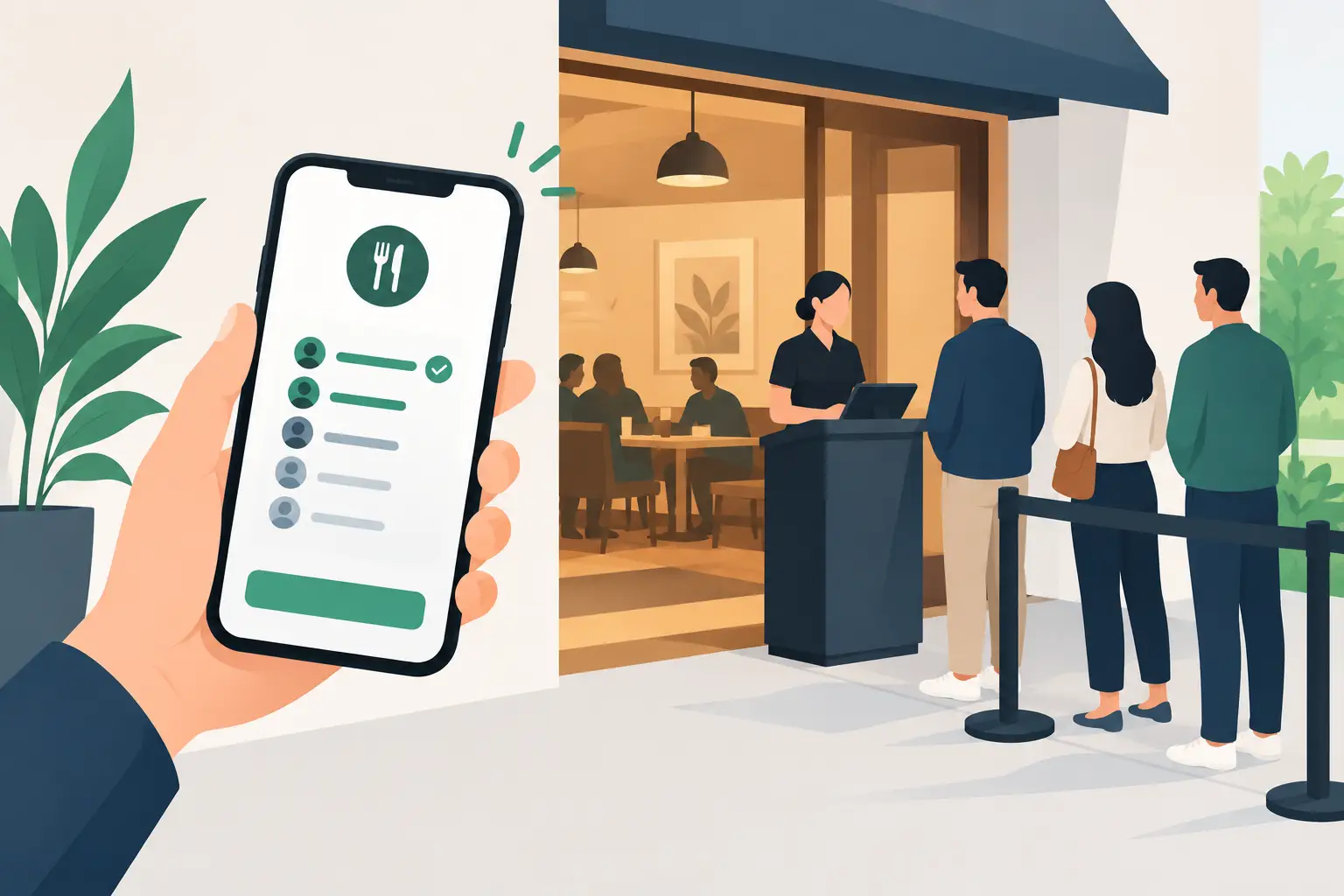
The packed host stand is doing more than slowing down seating. It is making wait times feel longer, creating questions your team has already answered, and putting arriving guests in the way of guests who are leaving. A mobile waitlist for restaurants moves that entire waiting experience onto the phone customers already have in hand.
Guests join the line, see where they stand, and get updates without circling the entrance. Hosts get a clearer view of the list instead of repeating names and estimates across a noisy lobby. The result is not just a cleaner doorway. It is a more organized service flow when the rush hits.
Why a Mobile Waitlist for Restaurants Works
A traditional paper list can work on a quiet Tuesday. It gets harder to manage when parties arrive in clusters, tables are running late, and a host is also handling calls, takeout questions, and walk-ins. The problem is rarely the list itself. It is the communication around it.
A mobile waitlist gives guests a place to check without asking the host again. They can wait on the patio, browse nearby shops, or sit in their car while staying connected to their place in line. That physical space matters. A dining room entrance should help staff greet guests, not act as a holding area for every party waiting to be seated.
For staff, the benefit is focus. Instead of constantly explaining whether a party is next, hosts can manage table status, party size, seating preferences, and quoted waits from one current view. When a table becomes available, the guest gets a prompt to return. Less crowd management means more attention for the moment that actually shapes the visit: the welcome.
What Guests Expect From the Wait
Most guests understand that popular restaurants have waits. What frustrates them is uncertainty. A vague estimate with no update leaves people wondering whether they were missed, whether the line is moving, or whether they should give up and go elsewhere.
The best mobile waitlist experience answers three simple questions: Am I on the list? How long might it be? What should I do when my table is ready?
That does not require a complicated customer portal or another app download. A lightweight mobile experience is usually the better fit. Guests scan a code or open a short link, enter their details, and receive updates on their own phone. If they want quick access later, they can add the experience to their home screen. Tap Add - done.
This lower-friction setup matters for restaurants with tourists, occasional visitors, and customers who do not want to create an account just to wait for lunch. It also makes a difference in multilingual communities. Clear, phone-based instructions in the guest’s preferred language can prevent small misunderstandings before they turn into a bad first impression.
Build the Waitlist Around Your Actual Service
A mobile tool should support your floor, not force your team into a generic process. Before turning one on, map how your restaurant handles a typical rush.
Start with party size and table types. A two-top opening does not help a party of six, and a patio table may not work for every guest. Your host needs to see those constraints quickly. If your operation takes seating preferences, accessibility needs, or high-chair requests, decide which details belong in the waitlist and which should be confirmed in person.
Then look at wait estimates. A 20-minute quote should be based on current table turnover, not optimism. It is better to set a realistic expectation and seat someone early than promise 15 minutes and leave them waiting 35. During a busy shift, update estimates as kitchen pace, lingering tables, and large-party arrivals change the flow.
Finally, set a clear return policy. When guests receive a table-ready message, how long do they have to return? Five minutes may work for a compact downtown location. Ten minutes may be more realistic if parking is difficult or guests are browsing a large shopping center. The policy should be visible, consistent, and easy for hosts to apply.
Keep Joining the List Fast
The join flow should take seconds, not several screens. If customers need help every time, the system has simply moved the line from the doorway to the host’s phone.
Put the entry point where guests naturally pause: near the entrance, at the host stand, on a window sign, or in a parking-area notice for high-volume locations. Use plain language such as “Join the waitlist” and “Check your place in line.” A staff member should still be ready to help guests who do not use smartphones, have low battery, or need accessibility support. Digital-first should not mean digital-only.
Ask only for what your team needs to seat the party. Name, party size, and a way to send updates are usually enough. Every additional field creates hesitation. If you need more detail for a particular service model, explain why in a few words.
A platform such as QGO is built around this kind of phone-first access: no dedicated kiosk, no printed ticket stack, and no conventional app download required. That can be especially useful for restaurants that want to roll out a waitlist quickly across more than one location.
Make Messages Useful, Not Noisy
A waitlist notification should tell guests what changed and what to do next. “Your table is ready. Please return to the host stand within 10 minutes” is clearer than “You’re up!” The message removes guesswork at the exact moment speed matters.
Avoid sending an update every few minutes. Frequent, low-value notifications can feel like noise, particularly if the estimate has barely changed. A better rhythm is a confirmation when the guest joins, a meaningful update if the wait changes materially, and a table-ready notification.
Give hosts the ability to resend a message or mark a party as contacted. Phone batteries die. Notifications get missed. A simple, visible status helps staff act quickly without searching through notes or asking a guest to start over.
Train for the Exceptions
The technology should make the normal path easy, but restaurants are full of exceptions. A party may arrive with more people than expected. Someone may be late. A guest may join the list from nearby, then return after the quoted time. Your team needs shared rules for these moments.
Decide in advance how to handle no-shows, party-size changes, duplicate entries, and guests who cannot receive messages. Keep the rules short enough that a new host can use them during a rush. The goal is consistency, not rigid enforcement. A good host still has room to make a judgment call when a guest has a legitimate issue.
It also helps to review waitlist activity after your busiest shifts. Look for patterns: Are estimates regularly too short? Do certain party sizes wait much longer? Are table-ready messages being sent before a section is truly ready? These details can reveal staffing, layout, or turnover problems that a paper list hides.
Measure More Than the Number of Names
A fuller list is not automatically a better result. What matters is whether the waitlist helps you seat the right guests at the right time while keeping the entrance calm.
Track average quoted wait against actual wait, the number of parties who leave before seating, and how often guests miss the return window. If you use table status data, watch the time between a table being cleared and the next party being seated. That gap is often where revenue and guest satisfaction quietly slip away.
There is a trade-off to consider. A mobile waitlist improves visibility, but it will not fix a kitchen that is overwhelmed or a floor plan with too few seats for peak demand. Use it to communicate honestly and organize demand. Do not use it to make an unrealistic wait look more polished.
A calm entryway starts with one simple change: give guests a clear place to wait, and give your team a clear way to bring them back. When the next rush forms, the line does not need to form in front of your door.
Give your customers a line they don't have to stand in
QGO turns any counter into a smart digital queue: customers scan a QR code, take a number on their own phone and get alerted when it is their turn. No app download, no hardware, 16 languages.
Try QGO free How it works