 QGO
Appointments Versus Walk Ins: What Works Best?
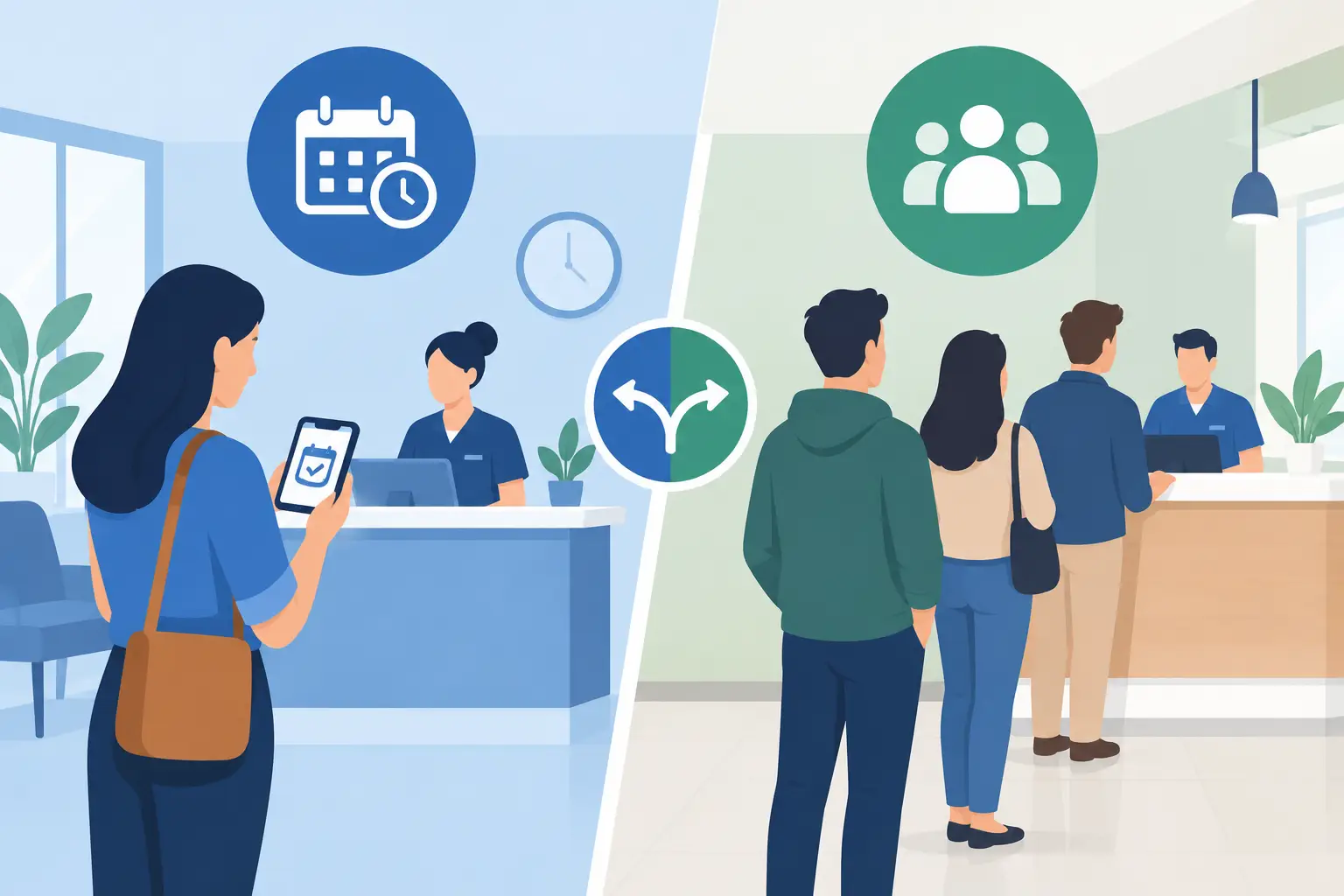
A customer arrives during their lunch break, sees a line at the counter, and checks the time. If they cannot tell whether the wait is five minutes or 35, they may leave before your team gets the chance to help. That is where appointments versus walk ins becomes an operational decision, not just a scheduling preference.
For many customer-facing businesses, the best answer is not choosing one model forever. It is creating a system that gives scheduled customers confidence, gives walk-in customers a fair path to service, and gives staff a clear view of demand.
Appointments versus walk ins: the real difference
Appointments reserve a place in time. They work best when service is lengthy, staff capacity is limited, or each visit requires preparation. A haircut, medical consultation, product fitting, repair estimate, or financial service meeting often needs this structure. The customer knows when to arrive, and your team can plan the day around expected demand.
Walk-ins reserve nothing in advance. They are built for convenience and spontaneity. A shopper wants help now. A guest needs to check in. A diner wants to add their name to the list. A customer has a quick question that should not require a calendar invitation.
The trade-off is straightforward. Appointments create predictability but can leave unused capacity when people cancel or do not show. Walk-ins capture immediate demand but can create uncertainty, visible lines, and pressure on staff when several people arrive at once.
The wrong choice is usually the one that makes customers work around your operations without explaining what happens next.
When appointments are the better fit
Use appointments as the primary path when every customer visit has a meaningful time cost. If one interaction takes 30 minutes, it is difficult to serve a full walk-in line without delaying everyone. Scheduled service protects the customer experience and helps employees avoid rushing through work.
Appointments also make sense when preparation matters. A clinic may need paperwork before a visit. A specialty retailer may need the right product or associate ready. A service desk may need to review a case before speaking with the customer. In these settings, a booked slot is more than a place in line. It is a signal that the team can be ready.
Still, an appointment calendar is not a force field around your front door. Customers will arrive early, late, or without a booking. Some appointments run long. Others end early. A rigid approach can leave an associate idle at 2:10 while a walk-in customer has been waiting since 1:45.
That is why appointment-based businesses need a walk-in policy, even if walk-ins are not their main service model. Decide who can be added, what services are eligible, and how long walk-in customers should expect to wait. Put that information where customers can see it before frustration sets in.
When walk-ins are the better fit
Walk-ins work well when visits are short, demand is variable, and customers value speed over planning. Think retail assistance, restaurant host stands, pickup counters, public service desks, event check-in, and quick consultations. Requiring an appointment for every small need can add friction where none is necessary.
The challenge is not the walk-in itself. The challenge is the invisible wait. A customer standing in a crowded area has no useful information. They do not know their place, whether the line is moving, or whether they have time to browse nearby. Staff then become human status boards, answering the same question repeatedly: “How much longer?”
A digital queue gives walk-ins a clearer experience. Customers join from their phones, see their status, and wait where it makes sense for them. They can browse, sit down, or finish another errand instead of forming a physical line around the service area.
That shift matters operationally. Fewer people standing at the counter means less congestion, fewer line disputes, and more space for staff to focus on service.
The hybrid model is often the practical choice
Most businesses do not operate in a clean appointment-only or walk-in-only world. They have booked customers arriving alongside people who need help now. A hybrid model accepts that reality and makes the rules visible.
For example, a salon can prioritize booked services while placing walk-in consultations in a digital queue. A clinic can schedule routine visits while letting patients check in remotely when they arrive. A retail store can reserve appointments for high-consideration sales while offering a walk-in queue for returns, pickup questions, and quick product support.
The key is to define service lanes without making customers decode a complicated process. Tell them what requires a booking, what can be handled as a walk-in, and what wait they should expect. Simple language works: “Booked appointment? Check in here. Need help today? Join the queue.”
Your team also needs a way to handle open capacity. If an appointment is canceled, staff should be able to call the next eligible walk-in customer quickly. If a scheduled customer arrives late, the system should not force everyone else to wait in silence.
Design the wait, not just the schedule
Customers can accept a wait more easily when it feels organized and fair. They are far less patient when the process is unclear. Whether you use appointments, walk-ins, or both, focus on three questions: What do customers do when they arrive? How do they know what is happening? What happens when plans change?
Start with arrival. Customers should not have to find a clipboard, take a paper ticket, download an app, or ask an employee how to get in line. A mobile-first check-in flow should take seconds. Scan, tap, join.
Next, make status clear. A customer does not need a perfect prediction down to the minute. They need enough information to decide whether to stay nearby, shop, grab coffee, or return later. Updates also reduce the pressure placed on front-line staff.
Finally, plan for exceptions. A party may be incomplete. A customer may not respond when called. An appointment may need extra time. Give staff simple controls and a consistent policy. Technology should support judgment, not turn every exception into a workaround.
What to measure before changing your model
Do not switch to appointments just because lines look bad, and do not open walk-ins just because competitors do. Look at how demand actually behaves across the day and week.
Track average wait time, but do not stop there. Look at how many people leave before service, how often appointments go unused, how long staff spend managing the line, and when congestion is most visible. A 10-minute wait at a quiet counter feels different from a 10-minute wait in a packed entryway.
Also measure service variability. If one customer interaction takes two minutes and the next takes 25, a simple first-come, first-served line may not be enough. You may need separate queues by service type, appointment lengths that reflect real work, or a triage step that directs customers correctly from the start.
Language access matters, too. In a diverse community, unclear instructions can create delays before a customer even joins the queue. A platform such as QGO can support customer-facing queue access in 16 languages, helping more visitors understand the process on their own phones.
Make the customer choice easy
The goal is not to force every customer into the same path. It is to give them the right path with the least friction. Offer appointments when planning improves the service. Offer walk-ins when immediacy matters. Use a digital queue to keep the in-between moments from becoming a crowded, confusing line.
A good waiting experience has a simple test: customers should know what to do next without asking. When they can check in, see their place, and move freely while they wait, your operation feels more organized before a staff member says a word.
Give your customers a line they don't have to stand in
QGO turns any counter into a smart digital queue: customers scan a QR code, take a number on their own phone and get alerted when it is their turn. No app download, no hardware, 16 languages.
Try QGO free How it works