 QGO
QGONo App Queue System for Faster Store Visits
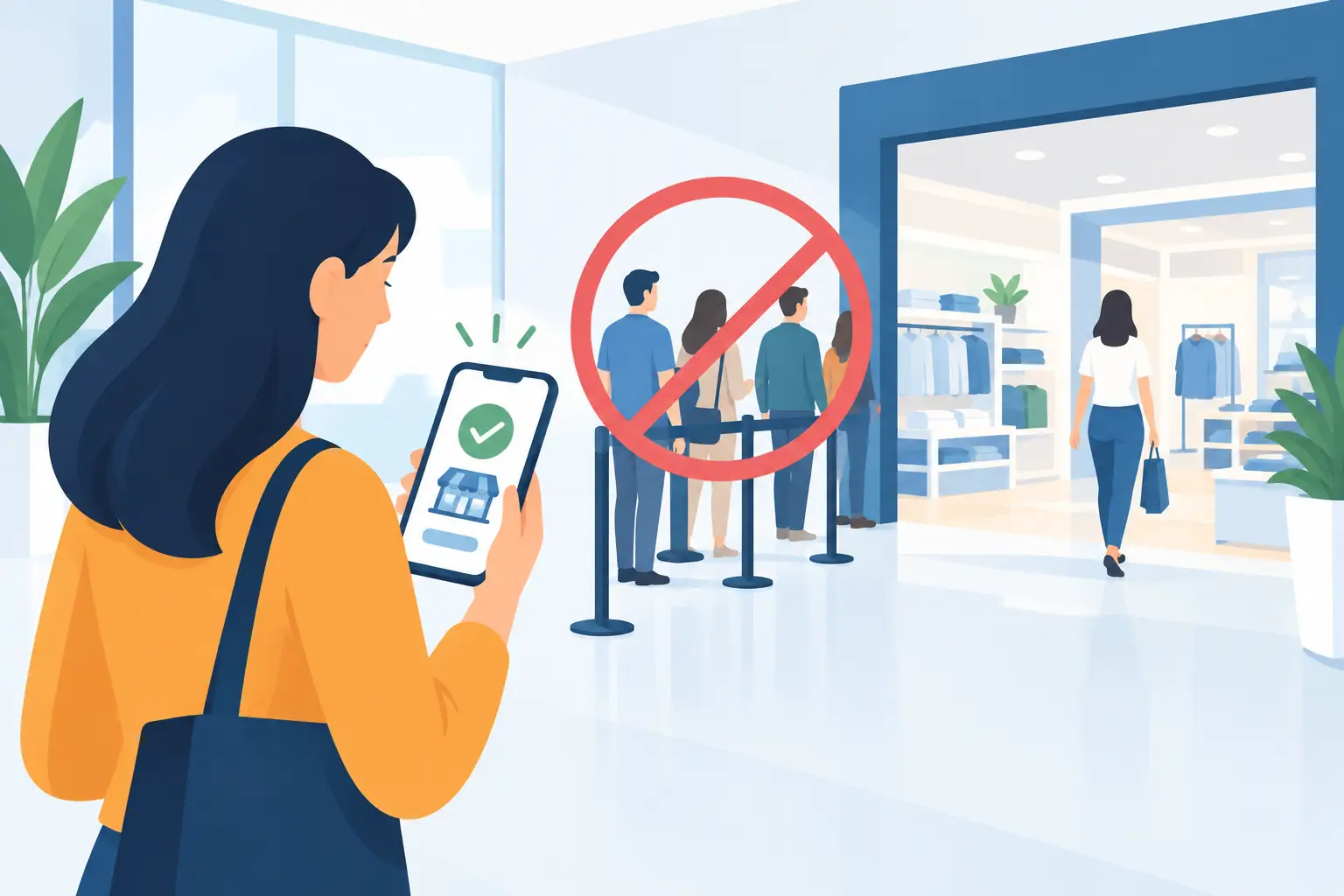
A customer walks in, sees six people standing near the counter, and decides to leave. That lost visit rarely shows up as a queue problem in a report. A no app queue system changes that moment: customers join from their own phone, check their place while they shop or wait nearby, and return when it is almost their turn.
For operators, the goal is not to make waiting feel exciting. It is to make waiting less disruptive. Fewer people gathered at the service desk. Fewer repeated questions about timing. Less staff time spent pointing, counting, and trying to remember who arrived first.
What a no app queue system changes
Traditional queue tools often create friction before the queue even begins. A customer may need to find a kiosk, take a paper ticket, hold on to it, and stay close enough to hear a number called. Or they may be asked to download a native app for a one-time visit. Neither option matches how most people want to use their phones in a busy store, clinic, restaurant, or service center.
A no app queue system uses a mobile web experience instead. Customers scan a QR code or open a short access point, enter the line, and receive updates on their own device. There is no app-store detour, account setup marathon, printed ticket, or dedicated hardware station required.
That distinction matters because every extra step lowers participation. A line-management tool only works when customers can use it quickly, especially when they are already frustrated, in a hurry, or unfamiliar with the location.
The best experience feels familiar. Open the queue. Join. See your status. Get notified. For repeat visitors, an installable web experience can be added to a phone home screen with a few taps. On iPhone, use Share, choose Add to Home Screen, then tap Add. It is there when they need it, without asking them to download another app.
Visible lines are an operations problem
A physical line does more than take up floor space. It changes how a location feels. Shoppers may avoid a crowded checkout area. Guests may feel ignored when they cannot tell whether a line is moving. Patients and clients may have no clear idea whether they have five minutes or 35 minutes to wait.
Staff absorb the pressure. They answer the same questions, mediate who is next, and try to keep a pickup counter or reception area clear. During rush periods, this work competes directly with serving customers.
A digital queue gives everyone a shared source of truth. Customers can see their position and estimated progress. Staff can focus on moving the line rather than defending it. The waiting area no longer has to be the only place customers can exist while they wait.
That can be especially useful for retail pickup, restaurant waitlists, salon walk-ins, clinic check-in overflow, government service desks, and event entry. The exact workflow varies, but the problem is the same: a growing crowd is a poor communication tool.
Better waiting does not mean zero waiting
Digital queueing is not a promise that every customer will be served immediately. Capacity still matters. If two associates are handling returns, consultations, and checkout questions at the same time, a phone cannot create another trained associate.
What it can do is replace uncertainty with visibility. Customers are usually more patient when they know where they stand and are free to use their time. They can browse, sit outside, grab a coffee nearby, or prepare what they need for their appointment instead of guarding a place in line.
This is also where accurate expectations matter. Do not present an estimate as a guarantee if service times vary widely. Use clear status language, update the queue as conditions change, and give staff a simple way to pause or adjust it when a rush hits. A queue system should support the real operation, not force the operation to pretend it is predictable.
Why avoiding an app download matters
Native apps make sense when customers return often and need deep features, such as loyalty, ordering, payment, or account management. For a single queue visit, though, an app download can be disproportionate to the task.
Customers may not have storage space. They may not want to create an account. They may be traveling, using a work phone, or simply unwilling to install software for a short wait. If the only way to join is an app, some people will choose the physical line or leave altogether.
A browser-based, installable experience keeps the entry point lighter. It gives customers mobile access without making the visit feel like a software project. That is particularly valuable for locations with mixed audiences, first-time visitors, and customers of different ages or comfort levels with technology.
It also helps multilingual locations. Queue instructions need to be understandable at a glance, not dependent on staff translating the process at the door. QGO supports 16 languages, helping operators serve diverse local communities and international visitors with the same basic flow.
What staff need from the system
Customers see a simple join screen. Staff need something equally simple behind it. If managing the queue requires a complicated dashboard, extensive training, or a dedicated employee at the screen, the system can create a new bottleneck.
Look for a setup that lets staff open and close a queue, see who is waiting, advance the line, and communicate status without leaving the service workflow. The tool should work whether the location has one counter or several service points, and it should be easy to use during the busiest part of the day.
Notification timing deserves attention. Calling someone too early can create another crowd at the counter. Calling them too late slows down service. A practical approach is to alert customers when they are getting close, then send a final notice when it is time to return. The right timing depends on your floor layout, typical service duration, and whether customers can reasonably step away.
Staff also need a clear fallback for exceptions. Phones run out of battery. Some customers do not use smartphones. A good queue process keeps an accessible option for those situations, such as staff-assisted entry or a small manual process. No app should never mean no support.
Choosing a no app queue system for your location
Start with the customer journey, not a feature checklist. Where does a customer first notice the line? How will they join it? What information do they need while waiting? Where should they return? The answers will tell you whether QR signage, a front-desk prompt, or staff invitation is the best entry point.
Then consider the operational details: how many locations you run, whether queues need separate service categories, how fast staff can adopt the system, and whether your customers speak multiple languages. Hardware requirements should be part of the decision too. A platform that works through existing customer phones can reduce upfront equipment costs, printer supplies, repairs, and kiosk maintenance.
Do not assume hardware-free means effort-free. You still need clear signs, a staff script, and a plan for peak periods. The difference is that deployment can be much lighter. Instead of installing ticket dispensers and training everyone around a physical station, you can introduce a straightforward mobile flow and refine it based on how customers actually move through the space.
Make the first use obvious
The technology should stay in the background. Put the join instruction where customers naturally pause: near the entrance, host stand, pickup counter, reception desk, or service area. Use direct language such as “Scan to join the line” and “Check your phone for updates.”
A short staff prompt helps during the first week: “You can join on your phone and keep shopping while you wait.” That sentence explains the benefit, not just the mechanics. Once customers see that they do not have to stand in place, adoption becomes easier.
Watch what happens during real rushes. Are people scanning but not completing entry? Is the return point clear? Are staff advancing the queue consistently? Small fixes to signs, wording, and notification timing often matter more than adding more features.
The strongest queue experience is quiet. Customers do not need to think about the system. They just join, go about their visit, and return at the right time. That is a better use of their time, and a calmer way to run your floor.
Give your customers a line they don't have to stand in
QGO turns any counter into a smart digital queue: customers scan a QR code, take a number on their own phone and get alerted when it is their turn. No app download, no hardware, 16 languages.
Try QGO free How it works